Check an AI itinerary before it becomes your trip
The AI plan looks finished. The real-world check is the missing step.
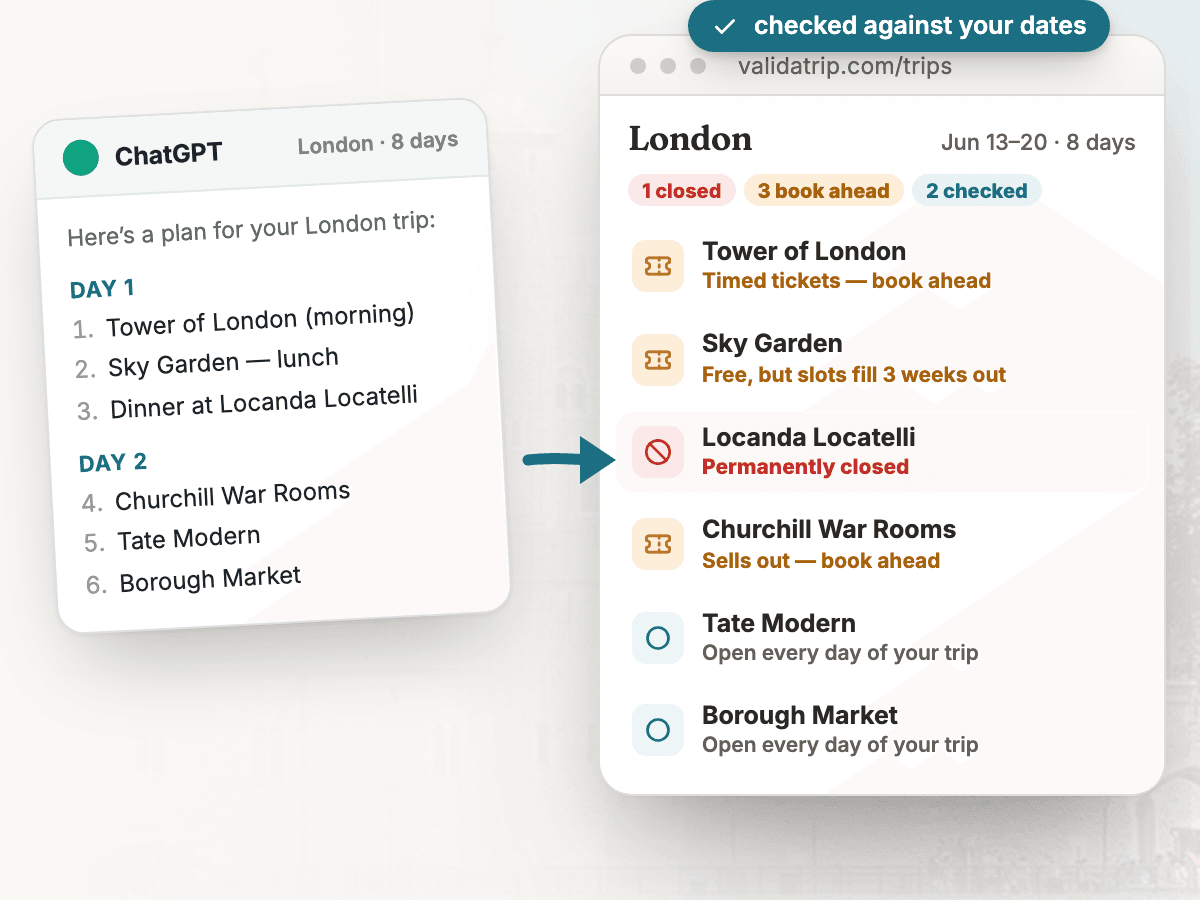
The problem
AI travel planners are useful first-draft tools, but they can still mix stale blog data, outdated opening hours, closed restaurants, reservation-only sights, and neighborhoods that do not belong in the same day. The failure is practical: the itinerary reads confidently until the traveler reaches a locked door, a sold-out museum, or a 45-minute cross-town detour.
How Tripnostic handles it
- Paste the AI itinerary exactly as written — no cleanup needed. Tripnostic extracts the real places from day headings, bullets, and prose.
- Each stop is resolved and checked against your destination and travel dates for hours, closures, holiday risk, and booking-ahead needs.
- The checked list is regrouped by neighborhood and map location, so the AI draft becomes a usable city plan instead of a plausible paragraph.
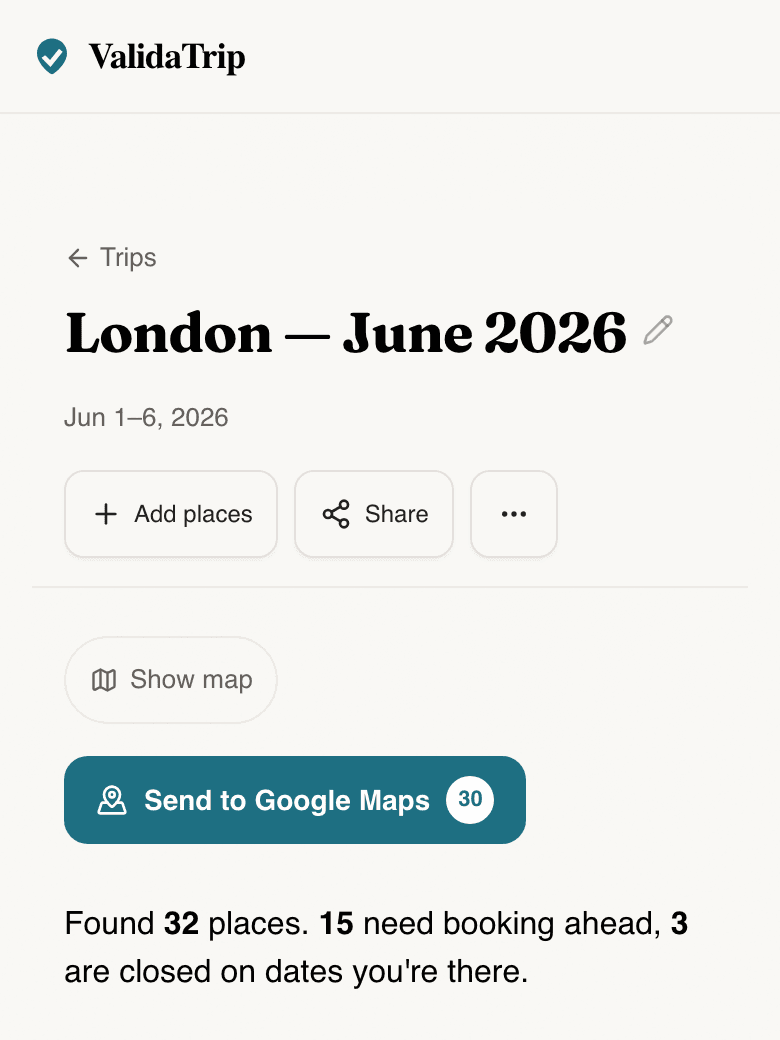
Tripnostic product preview
tripnostic.com/trips
Questions
- Which AI itinerary tools can I check?
- Any of them. Paste an itinerary from ChatGPT, Gemini, Claude, Perplexity, Copilot, or another AI planner. Tripnostic checks the places after the AI writes them.
- What does Tripnostic check that the AI planner does not?
- It verifies real places, opening hours against your trip dates, permanent and temporary closures, public-holiday risk, booking-ahead needs, neighborhoods, and map fit.
- Should I check the itinerary before or after booking?
- Check it before you commit the day plan. The useful window is when you can still swap a closed stop, reserve a timed-entry sight, or rebuild a day around one neighborhood.
Related resources
- Rilee Smith’s ChatGPT travel-planning prompts — A practical prompt collection for drafting the first AI travel plan, paired naturally with Tripnostic for the post-draft reality check.